Microlab 23D printed mini rack
Compact and tidy, but uses its own module size rather than standard 10". A frame you print yourself, designed by Canberk Durmus, built to its own module size rather than 10-inch: 4U to 6U tall and 194 mm deep.
Opens the “Microlab 2 · 4U · Desk stack” starter build, which passes every check. Opening it swaps out the rack on screen; the builder keeps your previous rack so you can restore it.
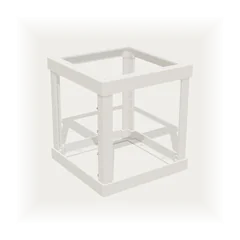
Key facts
- The Microlab 2 is a printable mini rack frame with its own module size (not 10-inch), designed by Canberk Durmus.
- It comes in 4U to 6U, with 194 mm of usable depth.
- The opening between its rails is 173 mm, for panels 200 mm wide.
- At 4U it is about 212 mm wide, 204 mm deep and 206 mm tall as drawn in the builder.
- It needs a printer bed of at least 180 mm and about 900 g of filament at 4U.
- 167 of the 363 loose devices in the PrintableRacks catalog fit it on a shelf without sticking out the back.
Microlab 2 specs
| Type | Print it yourself (free model) |
|---|---|
| Rack standard | Its own module size, 199.6 mm panels (not 10-inch) |
| Heights | 4U, 6U |
| Usable depth | 194 mm |
| Outer size at 4U | 212 x 204 x 206 mm (W x D x H, as drawn in the builder) |
| Opening between rails | 173 mm |
| Fastening | M3 screws or magnets between modules |
| Smallest printer bed | 180 mm |
| Filament | About 900 g at 4U |
| Load rating | None published |
Measured from the designer's published files: 212 mm square, 1U panels 199.6 mm wide, mounting holes 178.6 mm apart (M3). The clear opening is 173 mm. The 3D view shows the designer's real model at 4U. PrintableRacks treats a Microlab module as one "U" slot.
Strengths and trade-offs
Strengths
- Small 212 x 212 mm footprint for a desk or shelf
- Fully modular and open source (files on GitHub)
- Magnet option means no tools for swapping modules
Trade-offs
- Not 10" standard: off-the-shelf rack gear will not bolt in
- Lots of plates to print (about 1.8 kg for the full set)
What fits in the Microlab 2?
Counted from the 742-part catalog at the frame’s tallest height (6U) and deepest option (194 mm). Loose devices are checked on the shelf named beside them.
- 8 rail parts fitof 8 for its own rails
- 167 loose devices fiton a shelf, of 363 in the catalog
- 25 stick out the backat 194 mm deep
Fits, for example
- ASUS NUC 14 Pro (slim)
- Raspberry Pi 5 (8 GB)
- UniFi Dream Router 7
- Beelink EQ12 (N100)
- Beelink Mini S12 Pro
- Beelink SER8
Does not fit cleanly
- Synology DS725+Sticks out 29 mm
- Framework DesktopSticks out 32.1 mm
- TerraMaster F2-424Sticks out 33 mm
- Lenovo ThinkCentre Tiny (M720q / M920q)Too wide
More devices on Will it fit.
Questions about the Microlab 2
Will a 1-litre mini PC fit in the Microlab 2?
No. A 1-litre mini PC such as the Lenovo ThinkCentre Tiny (M720q / M920q) (179 x 34.5 x 183 mm) does not fit: 179 mm is wider than the 173 mm opening.
Will a 2-bay NAS fit in the Microlab 2?
Only with an overhang. A 2-bay NAS such as the Synology DS224+ (108 x 165 x 232.7 mm) takes 4U on the Microlab 2 tall shelf module, but at 232.7 mm deep it sticks out 38.7 mm behind the 194 mm frame.
What size of printer bed does the Microlab 2 need?
About 180 mm. A full 10-inch faceplate is 254 mm wide, so frames that print it in one piece need a 256 mm bed; frames split into smaller parts get by with less. The Microlab 2 uses narrower 199.6 mm panels.
Does the Microlab 2 have a load rating?
None is published. The builder adds up the weight of your parts so you can judge it yourself.
Who designed the Microlab 2?
Designed by Canberk Durmus. Get the files from the designer: MakerWorld. The model in the builder is the designer’s own, used under its open licence; see Credits. PrintableRacks is not affiliated with Canberk Durmus.
Related frames
-
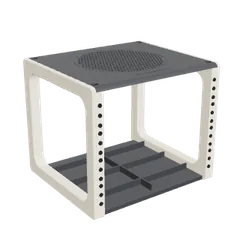 PrintableRacks R2Open in builderPrintableRacks (ours)
-
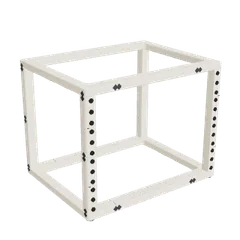 PrintableRacks R5Open in builderPrintableRacks (ours)
-
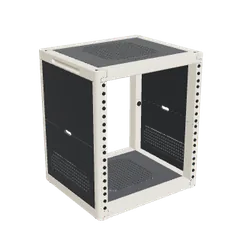 PrintableRacks R3Open in builderPrintableRacks (ours)