PrintableRacks R33D printed 10-inch homelab rack
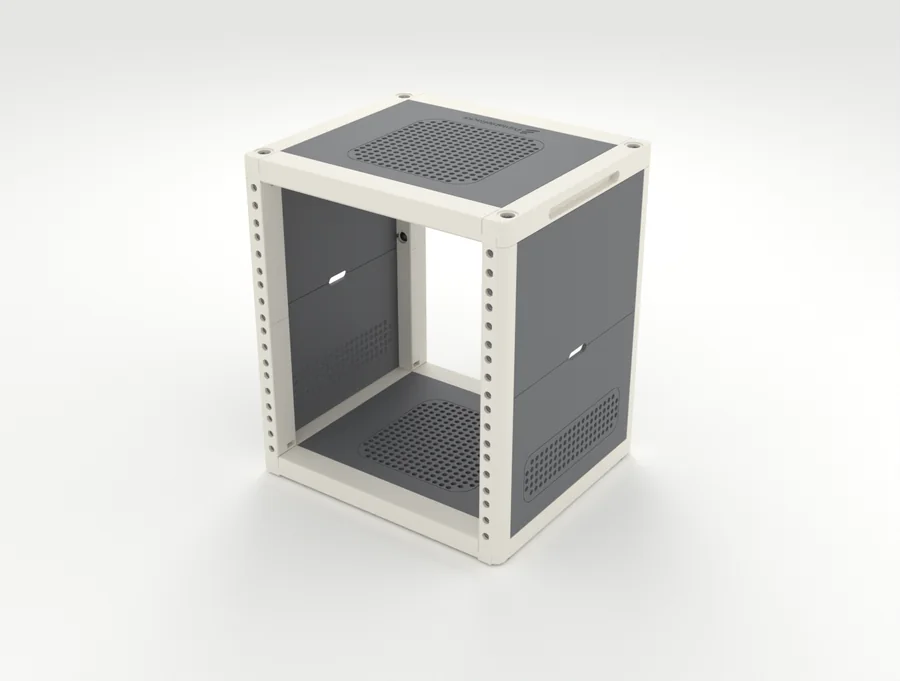
The cabinet. Four corner posts and a framed top and base, held by one M6 screw per corner. The side panels hold on with magnets and lift off, so the same kit is an open frame or a closed cabinet. It needs 32 small magnets glued in, and posts over 4U come in two pieces. It is a first draft that nobody has printed or load-tested yet; a free 6U print kit is in the builder.
Opens the “PrintableRacks R3 · 6U · Cabinet” starter build, which passes every check. Opening it replaces the rack saved in this browser.
Key facts
- The PrintableRacks R3 is a printable 10-inch rack frame, designed by PrintableRacks; it is a first draft that nobody has printed or load-tested yet.
- It comes in 4U to 10U, with 230 mm of usable depth.
- The opening between its rails is 222 mm, for panels 254 mm wide.
- At 6U it is about 264 mm wide, 230 mm deep and 309 mm tall as drawn in the builder.
- It needs a printer bed of at least 256 mm and about 1,300 g of filament at 6U.
- 302 of the 359 loose devices in the PrintableRacks catalog fit it on a shelf without sticking out the back.
PrintableRacks R3 specs
| Type | Print it yourself (first draft; free 6U print kit in the builder) |
|---|---|
| Rack standard | 10-inch (254 mm panels) |
| Heights | 4U, 6U, 8U, 10U |
| Usable depth | 230 mm |
| Outer size at 6U | 264 x 230 x 309 mm (W x D x H, as drawn in the builder) |
| Opening between rails | 222 mm |
| Fastening | One M6 screw per corner clamps post, cross beam and side beam together; side panels hold on with magnets. Gear bolts into M6 square nuts held in a printed cassette inside each post |
| Smallest printer bed | 256 mm |
| Filament | About 1,300 g at 6U |
| Load rating | None: not load tested yet |
PrintableRacks' own design. Print files exist for the 6U build and were checked in software and sliced, but nobody has printed one yet. Use PETG or ASA; PLA softens near warm gear.
Strengths and trade-offs
Strengths
- Open frame or closed cabinet: the side panels are held by magnets and lift off without tools
- Heights from 4U to 10U; only the posts, side panels and nut cassettes change
- Finger grips are moulded into the top beams, so there are no bolt-on handles
- Nothing prints on the diagonal: every part lies flat on a 256 mm bed, no supports
- No cage nuts and no heat-set inserts
Trade-offs
- Not printed or load tested by anyone yet; treat it as a first draft
- 30 printed parts for 6U and about 60 to 90 minutes to build
- Needs 32 small magnets glued in, plus 12 screws and 84 square nuts
- Posts taller than 4U are two pieces joined by a splice
- Stiffness relies on one screw per corner; the side panels add none
What fits in the PrintableRacks R3?
Counted from the 706-part catalog at the frame’s tallest height (10U) and deepest option (230 mm). Loose devices are checked on the shelf named beside them.
- 218 rail parts fitof 225 for 10-inch rails
- 302 loose devices fiton a shelf, of 359 in the catalog
- 18 stick out the backat 230 mm deep
Fits, for example
- Lenovo ThinkCentre Tiny (M720q / M920q)
- Raspberry Pi 5 (8 GB)
- UniFi Cloud Gateway Ultra
- Synology DS423+
- HP EliteDesk 800 Mini (G4-G6)
- Dell OptiPlex Micro (7080 / 7090)
Does not fit cleanly
- UGREEN NASync DXP2800Sticks out 1 mm
- Synology DS224+Sticks out 2.7 mm
- Synology DS225+Sticks out 2.7 mm
- MikroTik CRS309-1G-8S+INToo wide
Questions about the PrintableRacks R3
Will a 1-litre mini PC fit in the PrintableRacks R3?
Yes. A 1-litre mini PC such as the Lenovo ThinkCentre Tiny (M720q / M920q) (179 x 34.5 x 183 mm) takes 1U on the printed 1U shelf and leaves 47 mm spare at 230 mm deep.
Will a 2-bay NAS fit in the PrintableRacks R3?
Only with an overhang. A 2-bay NAS such as the Synology DS224+ (108 x 165 x 232.7 mm) takes 4U on the printed 1U shelf, but at 232.7 mm deep it sticks out 2.7 mm behind the 230 mm frame.
Can I download and print the PrintableRacks R3?
Yes, at 6U. A free print kit (.3mf, opens in Bambu Studio and other slicers) for the 6U build is in the builder: open the frame, open the Parts list and choose Download print kit; it needs a free account. The kit has a small test piece: print that first. Other heights have no files yet. It is still a first draft, checked in software and sliced, but nobody has printed or load-tested one. The files are free for personal, non-commercial use (CC BY-NC-SA 4.0).
Does the PrintableRacks R3 have a load rating?
No. Nobody has load-tested it yet, so keep heavy gear out until someone has. The builder still adds up the weight of your parts.
Who designed the PrintableRacks R3?
Designed by PrintableRacks. A free print kit (.3mf, opens in Bambu Studio and other slicers) for the 6U build is in the builder: open the frame, open the Parts list and choose Download print kit; it needs a free account. The kit has a small test piece: print that first. Other heights have no files yet. It is still a first draft, checked in software and sliced, but nobody has printed or load-tested one. The files are free for personal, non-commercial use (CC BY-NC-SA 4.0). Open the PrintableRacks R3 in the builder to get it, or see our five frames side by side.
Related frames
-
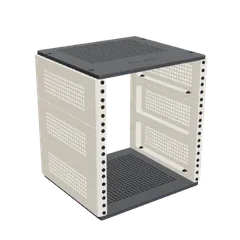 PrintableRacks R4Open in builderPrintableRacks (ours)
-
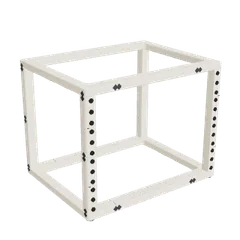 PrintableRacks R5Open in builderPrintableRacks (ours)
-
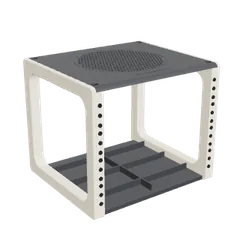 PrintableRacks R2Open in builderPrintableRacks (ours)