PrintableRacks R13D printed 10-inch homelab rack
The tall, deep one. Posts stack in 2U sections and four M6 threaded rods clamp them between a top and a bottom frame. At 260 mm deep it takes 1-litre mini PCs and DeskPi T2 shelves without overhang. About 35 printed parts and a slower build than R2. It is a first draft that nobody has printed or load-tested yet; a free 4U print kit is in the builder.
Opens the “PrintableRacks R1 · 4U · Homelab” starter build, which passes every check. Opening it replaces the rack saved in this browser.
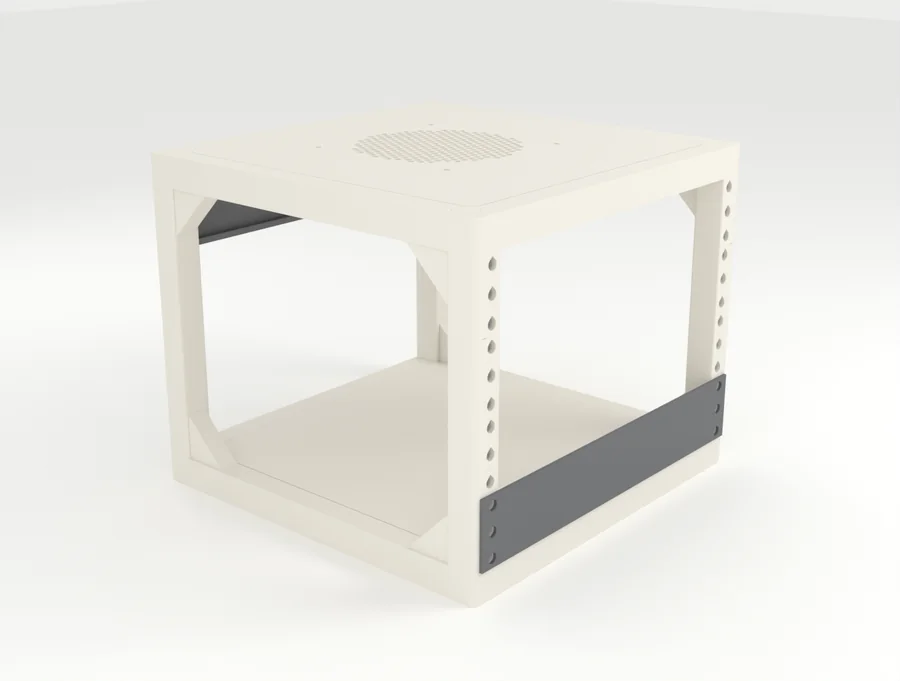
Key facts
- The PrintableRacks R1 is a printable 10-inch rack frame, designed by PrintableRacks; it is a first draft that nobody has printed or load-tested yet.
- It comes in 2U to 8U, with 260 mm of usable depth.
- The opening between its rails is 222 mm, for panels 254 mm wide.
- At 4U it is about 262 mm wide, 260 mm deep and 220 mm tall as drawn in the builder.
- It needs a printer bed of at least 256 mm and about 900 g of filament at 4U.
- 308 of the 359 loose devices in the PrintableRacks catalog fit it on a shelf without sticking out the back.
PrintableRacks R1 specs
| Type | Print it yourself (first draft; free 4U print kit in the builder) |
|---|---|
| Rack standard | 10-inch (254 mm panels) |
| Heights | 2U, 4U, 6U, 8U |
| Usable depth | 260 mm |
| Outer size at 4U | 262 x 260 x 220 mm (W x D x H, as drawn in the builder) |
| Opening between rails | 222 mm |
| Fastening | One M6 threaded rod per corner clamps the stacked posts between the top and bottom frames. Gear bolts into M6 square nuts held in a printed cassette inside each post |
| Smallest printer bed | 256 mm |
| Filament | About 900 g at 4U |
| Load rating | None: not load tested yet |
PrintableRacks' own design. Print files exist for the 4U version only and were checked in software, not printed. Other heights are drawn here but have no print files yet. Use PETG or ASA; PLA softens near warm gear.
Strengths and trade-offs
Strengths
- Posts stack in 2U segments, so height can change in 2U steps with longer rods
- 260 mm deep, so 1-litre mini PCs and DeskPi T2 shelves fit without sticking out
- No cage nuts and no heat-set inserts: square nuts sit in a cassette behind a solid 3 mm post wall
- Prints without supports; the 4U kit sliced at about 900 g of PETG and 23.5 hours over five plates
Trade-offs
- Not printed or load tested by anyone yet; treat it as a first draft
- About 35 printed parts, four threaded rods, 52 square nuts and a 10 mm socket: slower to build than R2
- Needs a 256 mm bed, with the long beams laid on the diagonal
- The nut cassettes only come out after the top frame is lifted off
- The wall beside each nut is under 2 mm thick, so over-tightening could split it
What fits in the PrintableRacks R1?
Counted from the 706-part catalog at the frame’s tallest height (8U) and deepest option (260 mm). Loose devices are checked on the shelf named beside them.
- 225 rail parts fitof 225 for 10-inch rails
- 308 loose devices fiton a shelf, of 359 in the catalog
- 12 stick out the backat 260 mm deep
Fits, for example
- Lenovo ThinkCentre Tiny (M720q / M920q)
- Raspberry Pi 5 (8 GB)
- UniFi Cloud Gateway Ultra
- Synology DS224+
- HP EliteDesk 800 Mini (G4-G6)
- Dell OptiPlex Micro (7080 / 7090)
Does not fit
- MikroTik CRS309-1G-8S+INToo wide
- GL.iNet Flint 2 (MT6000)Too wide
- Synology DS1522+Too wide
- UGREEN NASync DXP4800 PlusToo wide
Questions about the PrintableRacks R1
Will a 1-litre mini PC fit in the PrintableRacks R1?
Yes. A 1-litre mini PC such as the Lenovo ThinkCentre Tiny (M720q / M920q) (179 x 34.5 x 183 mm) takes 1U on the printed 1U shelf and leaves 77 mm spare at 260 mm deep.
Will a 2-bay NAS fit in the PrintableRacks R1?
Yes. A 2-bay NAS such as the Synology DS224+ (108 x 165 x 232.7 mm) takes 4U on the printed 1U shelf and leaves 27.3 mm spare at 260 mm deep.
Can I download and print the PrintableRacks R1?
Yes, at 4U. A free print kit (.3mf, opens in Bambu Studio and other slicers) for the 4U build is in the builder: open the frame, open the Parts list and choose Download print kit; it needs a free account. Other heights have no files yet. It is still a first draft, checked in software and sliced, but nobody has printed or load-tested one. The files are free for personal, non-commercial use (CC BY-NC-SA 4.0).
Does the PrintableRacks R1 have a load rating?
No. Nobody has load-tested it yet, so keep heavy gear out until someone has. The builder still adds up the weight of your parts.
Who designed the PrintableRacks R1?
Designed by PrintableRacks. A free print kit (.3mf, opens in Bambu Studio and other slicers) for the 4U build is in the builder: open the frame, open the Parts list and choose Download print kit; it needs a free account. Other heights have no files yet. It is still a first draft, checked in software and sliced, but nobody has printed or load-tested one. The files are free for personal, non-commercial use (CC BY-NC-SA 4.0). Open the PrintableRacks R1 in the builder to get it, or see our five frames side by side.
Related frames
-
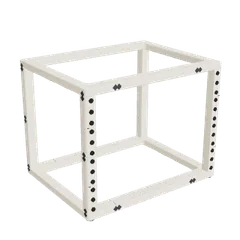 PrintableRacks R5Open in builderPrintableRacks (ours)
-
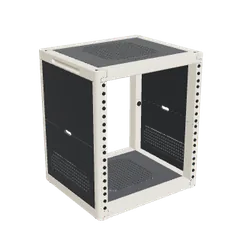 PrintableRacks R3Open in builderPrintableRacks (ours)
-
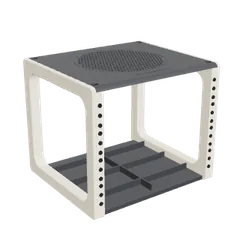 PrintableRacks R2Open in builderPrintableRacks (ours)